An open-source drag-and-drop email editor for your app.
Custom blocks, full theming, merge tags, display conditions, language versions, and an AI assistant on your own model — all built into the SDK. Drop into any app with one init() call.
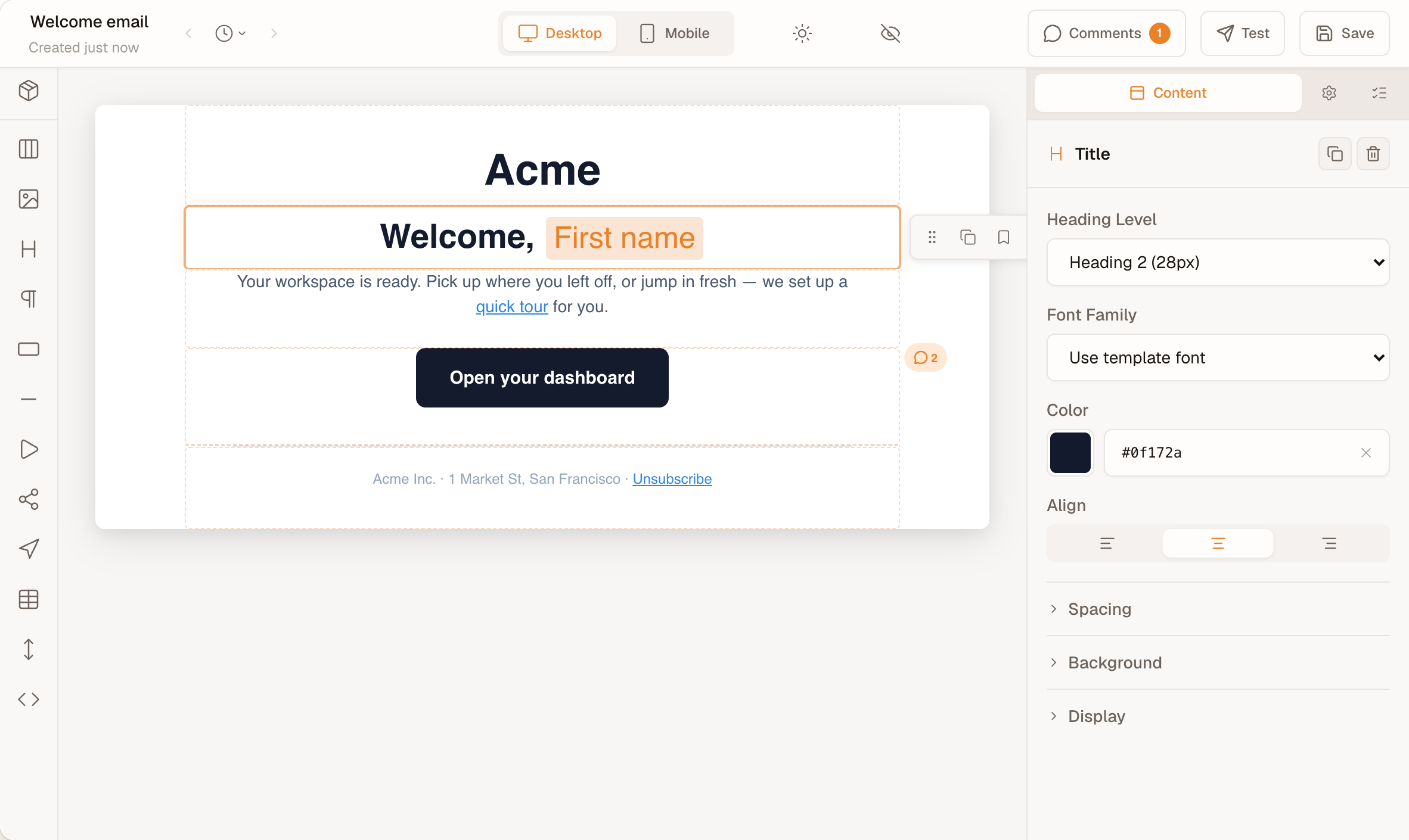
Works in React, Svelte, Angular, Vue, and vanilla JS — one init() call, zero runtime dependencies.
- TypeScript-first
- Built on MJML
- Open source (MIT)
- Framework-neutral
- Shadow DOM
- No license key
- 254 kB initial · 466 kB lazy
AI in the editor, on your own model
Give init() an AI provider and the editor gets the AI assistant, Rewrite, Fix with AI and Write alt text. Your backend calls the model you choose, with your keys and your data-processing terms; the MIT AI kit supplies the wiring.
For your users
- AI assistantA chat that edits the template, one undo step per turn. It takes image and PDF attachments, and Import from screenshot or PDF starts an email from a design, with placeholders for pictures.
- RewriteShorten, expand, change the tone of, fix the grammar in or translate a paragraph from its toolbar, with a preview before anything is replaced.
- Fix with AIFixes lint findings such as vague link text or a missing preheader from the Issues panel, as one undo step.
- Write alt textDrafts alt text for one image or for every flagged image at once; nothing is written until you accept it.
Try the AI button in the editor above. Its replies are recorded, so no model runs on this page.
For your backend
import {
  createHttpAiProvider,
} from '@templatical/ai-kit/client'

const editor = await init({
  container: '#editor',
  templates: myTemplatesProvider,
  ai: createHttpAiProvider({ baseUrl: '/api/ai' }),
})- In the browser, createHttpAiProvider from @templatical/ai-kit/client talks to your backend over a documented REST and server-sent-events wire.
- On your server, the kit’s prompts, tool and editing loop run with createAnthropicAdapter, createOpenAiAdapter or createVercelAdapter; any other model plugs in through AiModelAdapter.
- Check it with the conformance suites and the eval set before you ship.
- The template, its merge tags and the prompts go to the model you call.
Describe the email. Or the integration.
One open-source Agent Skill, running entirely inside the coding agent you already use. Ask it for an email and it writes, imports, validates and previews a complete template. Ask it about the SDK and it mounts the editor in your app, scaffolds the code, or works out why an integration misbehaves. No backend, no API key, nothing sent to us.
“A product-launch email for an outdoors brand — hero image, a short intro, and a Shop now button in forest green.”
- build
- edit
- import
- validate
- export
- live
“Mount the editor in our Next.js admin, point save and load at our own API, and match it to our dark theme.”
- integrate
- scaffold
- diagnose
- docs
One command. It detects the agents you have installed and writes the skill into the folder each one reads — nothing is added to your project.
Multilingual templates, translated through your own provider
Give init() a list of languages and authors add language versions of one email: a shared block tree, with each language’s text, property overrides and hidden blocks, and no provider needed. Add a translation provider, any object with a translate method, and Translate fills a version through DeepL, a translation management system or an LLM. The AI kit is optional.
Built in
- LanguagesAdd a language, make one the default or remove it. Every version shares the block tree; text, links, images and styling can differ, and a block can be hidden in one language.
- Language bar and badgesThe bar shows the version being edited with its missing and out-of-date counts. A badge on each block says Not translated, Out of date or Merge tags differ, with Keep and a reset to the default language beside it.
- Rendering and checksrenderToMjml(content, { locale }) renders one language, template-tools validate --locale reports missing and out-of-date text, and strings export and strings import exchange a language as JSON with a translation management system.
- Comments and AIEach comment records the language it was written in. With an AI provider, the AI assistant, Rewrite, Fix with AI and Write alt text edit the language on screen.
With localization alone: no provider, no backend, no extra package. The Beefree, Unlayer and Topol importers keep the source’s languages.
Translate with any service
const editor = await init({
  container: '#editor',
  localization: {
    locales: ['en', 'de', 'fr'],
    doNotTranslate: ['Acme'],
  },
  // Any object with translate(). Your backend
  // calls DeepL, a TMS or an LLM.
  translation: {
    async translate(request, signal) {
      const res = await fetch('/api/translate', {
        method: 'POST',
        headers: {
          'Content-Type': 'application/json',
        },
        body: JSON.stringify(request),
        signal,
      })
      if (!res.ok) throw new Error(res.statusText)
      return res.json() // { fields: [{ id, text }] }
    },
  },
})- Translate sends a version’s missing and out-of-date fields to your provider; your backend calls DeepL, a translation management system or an LLM, and returns the fields it translated.
- Merge tags, logic tags and your do-not-translate terms travel as numbered placeholders, and the editor applies a field only when every placeholder comes back.
- Subject lines aren’t part of the template: translate and store them in your own data. Keep every @templatical/* package on the same version.
Try it in the editor at the top of the page: open the language menu, choose Deutsch and run Translate from the language bar. The translations are recorded, so no translation service runs on this page.
Optional: the AI kit (MIT)
Ready-made pieces for the same interface, if your translator is an LLM or you want a tested HTTP route. Translate works without it.
createHttpTranslationProviderThe browser half of a documented HTTP route, POST /templates/{template}/translate.translateFieldsOn your server, runs the fields through any AiModelAdapter, checks every placeholder and repairs a failed field once.runTranslationConformanceChecks any provider, yours included, before you ship.createMockTranslationProviderRecorded answers for demos and tests; the editor at the top of this page uses it.
Nothing to activate. Nothing to revoke.
No license key, no client ID, no activation call. With init(), the SDK never asks a server which features you are allowed to use — install it once and it keeps working, unchanged, including if this project disappears tomorrow.
- No license key or client ID anywhere in the API
- No entitlement check — features are never enabled or revoked remotely
- No telemetry, no analytics, no usage reporting
- Your templates stay in your app until you send them to your own backend
With commercial editor SDKs, the vendor stays in the loop after you ship:
- Domain-bound keys
- A project ID or API key that works only on the domains you register with the vendor.
- Expiring tokens
- Access tokens minted against the vendor’s servers and refreshed on their schedule.
- Metered plans
- Monthly plans that count users, exports or designed emails, with charges past the limit.
Patterns from the commercial editors compared on this site, checked 19 November 2026.
Installation: one npm install, one init() call
One npm install. One init() call. JSON in, MJML out — render anywhere, free.
import { init } from '@templatical/editor'
import '@templatical/editor/style.css'

// No API key, no client ID — this is the whole integration
const editor = await init({
  container: '#editor',
  onChange(content) {
    // JSON content — store, version, send anywhere
    console.log(content)
  },
})

const mjml = await editor.toMjml()Building an email editor yourself means the drag-and-drop UX, merge tags, Outlook quirks and their upkeep, all before your first template. See what ships in the SDK